
Airbnb, Vrbo, and Direct Bookings: Grow Your Rental Business with KrabiClaw
More places to find you. More ways to book. Meet KrabiClaw’s websites and rental tools for short and extended stays.

Chris Luke
3 min read
A guest might find your home on Airbnb, discover it on Vrbo, or search for a furnished place to spend a month in your area. Each path can lead to a stay.
KrabiClaw now brings direct booking websites and rental operations together for independent hosts managing short and extended stays. Present your homes under your own brand, set dates and prices, communicate with guests, and coordinate your team through the dashboard or a connected AI assistant.
Add a booking channel of your own
Airbnb and Vrbo remain part of the picture. Your website adds another route for guests who search by destination, type of home, amenities, or length of stay.
Imagine someone searching for “monthly furnished apartment in Ao Nang.” They want to know where the apartment is, what is included, which dates are available, and how to reserve it. Your property page can answer those questions and give them a direct booking path.
Build your pages around what you actually offer: a neighborhood, a workspace, room for a family, or a home available for a longer stay. Keep those details current as your business changes.
Turn website visits into booking opportunities
Give each home a page with photos, amenities, house rules, and a clear way to choose dates. Guests can review available nights and book directly on your website.
Your website creates a route for guests who find you through search, social posts, recommendations, and links to your own site, alongside your Airbnb and Vrbo business.
Paid direct booking requires the Business plan and completed Stripe setup. See current pricing for plan details and payment charges.
Set the dates and stays you want to offer
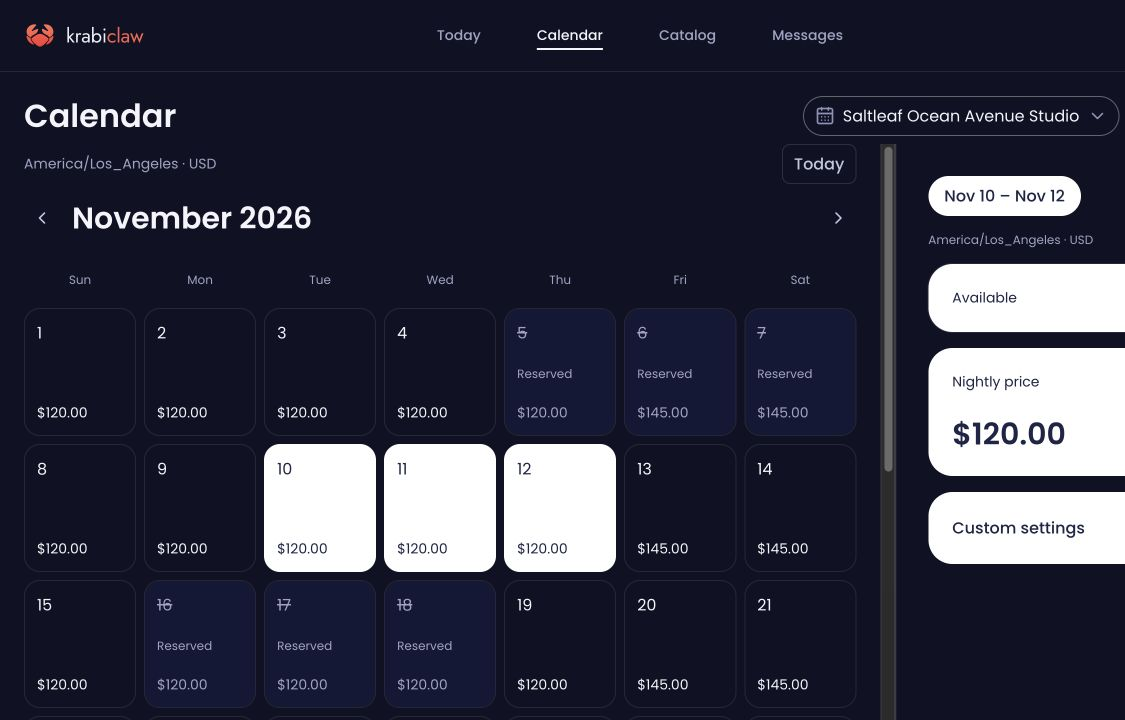
Set a base nightly price, adjust prices for selected dates, close unavailable nights, and choose minimum or maximum stays. Use the calendar to review the dates and rules behind each home.
That gives you controls for a weekend visit, a holiday week, or an extended stay. Bring Vrbo’s occupied dates into your availability workflow through linked calendars, and review the connection status alongside your other hosting work.
Carry the booking through to checkout
A confirmed booking starts another set of tasks. Guests need arrival instructions. Someone needs to know when the home will be empty. Your team needs to see who is handling the work.
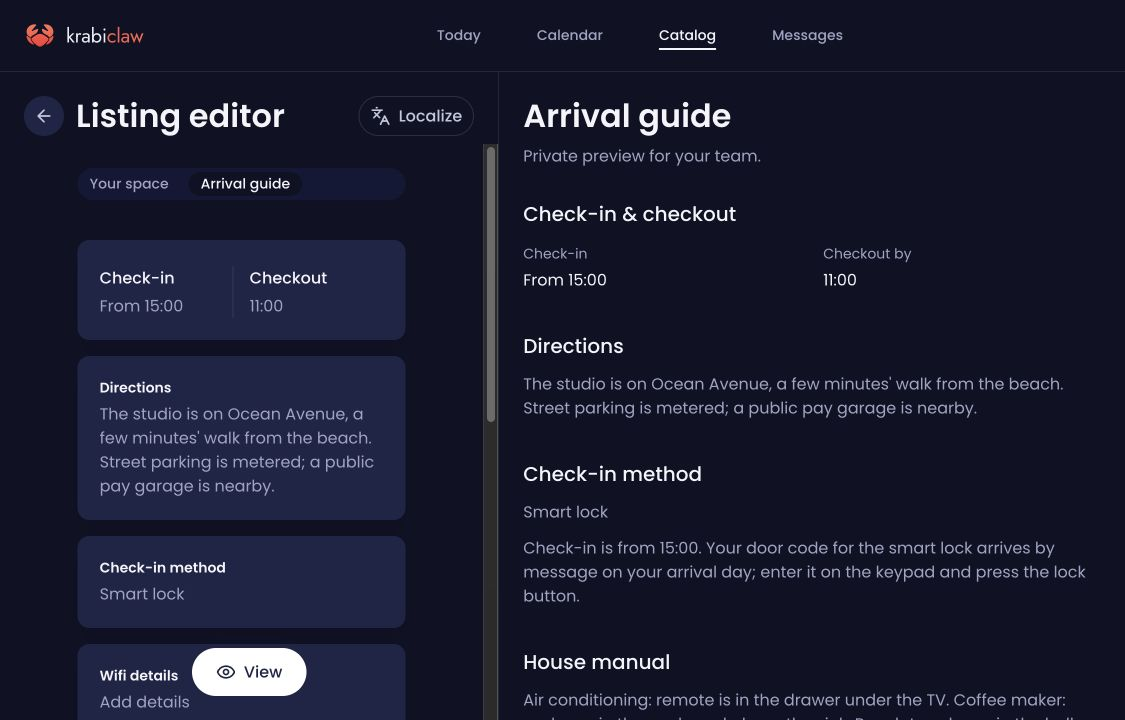
KrabiClaw brings guest conversations, private arrival guides, scheduled messages, and team tasks into the host’s workspace. Save check-in instructions, Wi-Fi details, directions, house information, and checkout instructions for each home. Prepare guest replies and schedule messages around the stay.
Assign turnover work to your team and follow the task alongside the booking. The home, the stay, and the people responsible stay connected.
Manage the details through conversation
Work in the dashboard or connect ChatGPT or Claude to manage supported parts of your business. Ask to see upcoming departures, review a home’s nightly prices, update property details, or prepare an arrival message from its saved guide.
A request can start with the work in front of you: “Show me the upcoming departures and cleaning tasks for this week.” Review the actual homes, dates, and tasks, then decide what to change.
See KrabiClaw for rental hosts
Explore Saltleaf Stays, our fictional rental demo, to see how homes and stay details appear on a KrabiClaw website. Browse the property pages and explore the homes, photos, and guest-facing information.
Bring your homes, booking opportunities, and daily hosting work together. Explore KrabiClaw for rental hosts.